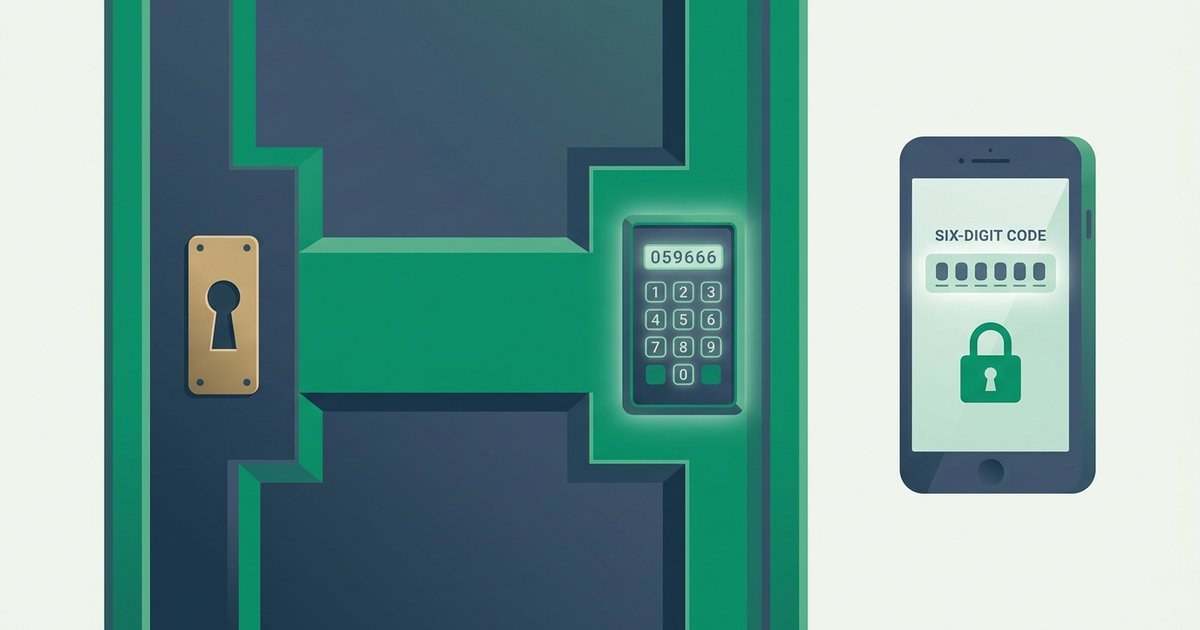
Passwords fail constantly. They get phished, guessed, reused across sites, and dumped in breaches by the billion - Have I Been Pwned has indexed well over ten billion compromised accounts, and the Verizon Data Breach Investigations Report has named stolen credentials among the top breach vectors for over a decade. Two-factor authentication (2FA) exists because of this reality. It assumes your password will eventually leak and makes sure that, when it does, the leak alone isn't enough to get in.
This guide covers what 2FA actually is, which type you should choose in 2026, and the exact order in which to enable it - Plus the recovery planning most people skip until it's too late.
What two-factor authentication actually is
Authentication factors come in three classic categories: something you know (a password or PIN), something you have (a phone, an authenticator app, a hardware key), and something you are (a fingerprint or face scan). Two-factor authentication means combining two different categories. A password plus a security question is not 2FA - That's two things you know. A password plus a six-digit code from your phone is.
The point is to break the attacker's economics. Stealing a password is cheap and scalable: one phishing page or one breached database yields thousands of them. Stealing a password and the victim's phone, or the secret key inside their authenticator app, requires targeting a specific person. Most attackers simply move on to accounts without 2FA - And there are plenty.
Rule of thumb: any second factor is dramatically better than none, but a phishing-resistant factor is dramatically better than a code you can be tricked into typing.
The main types of 2FA, ranked
Not all second factors are equal. Here's how the common options compare:
| Method | How it works | Phishing-resistant? | Security level |
|---|---|---|---|
| SMS / voice codes | Code texted or read to your phone | No | Baseline - Vulnerable to SIM swapping |
| Email codes | Code sent to your inbox | No | Weak if email shares your password |
| TOTP authenticator app | App generates 6-digit codes from a shared secret | No | Strong |
| Push approval | Tap "Approve" in a vendor app | Partially | Strong, but fatigue-attack prone |
| Hardware security key | USB/NFC key performs FIDO2 challenge | Yes | Strongest |
| Passkey | Device-bound FIDO credential, replaces the password entirely | Yes | Strongest |
SMS deserves special mention because it's the most widely deployed and the most attacked. NIST's digital identity guideline SP 800-63B has treated SMS as a "restricted" authenticator since 2017 because phone numbers can be hijacked through SIM-swap fraud and SS7 network weaknesses. The full story is worth understanding - Our comparison of TOTP versus SMS codes walks through the real-world attacks. The short version: use SMS only when a site offers nothing better.
TOTP (time-based one-time password) apps are the sweet spot for most people: free, offline, and standardized. When a site shows you a QR code during setup, it's sharing a secret key; your app combines that key with the current time to produce a fresh code every 30 seconds. You can see the algorithm in action with our free TOTP code generator, which runs entirely in your browser - Paste in a Base32 secret and watch the codes tick over exactly as Google Authenticator would compute them.
At the top of the ladder sit hardware keys and passkeys, which use public-key cryptography bound to the real website's domain. There is no code to phish. If you want to understand where that technology is heading, see our guide to passkeys and life after passwords.
Which accounts to protect first
Don't try to enable 2FA on eighty accounts in one sitting. Work in priority order:
- Your primary email. This is the master key - Password resets for everything else land here. If an attacker owns your inbox, 2FA on other sites barely slows them down.
- Your password manager. It holds everything else. (If you're not using one yet, our password manager guide explains why it pairs naturally with 2FA.)
- Banking, brokerage, and payment apps - PayPal, Venmo, crypto exchanges.
- Cloud storage and backups - Google Drive, iCloud, Dropbox.
- Social media and anything with your card on file - Amazon, food delivery, game platforms.
Nearly every major consumer service now supports at least one 2FA method, so availability is rarely the obstacle. Habit is.
Step-by-step: enabling TOTP on any account
The flow is nearly identical everywhere:
- Install an authenticator app (Ente Auth, Aegis, 2FAS, Google Authenticator, or your password manager's built-in TOTP feature).
- In the account's security settings, look for "Two-factor authentication," "2-step verification," or "Authenticator app."
- Scan the QR code with your app. If you're offered the text secret ("setup key"), copy it somewhere safe too - It lets you re-add the account on a new device later.
- Type the current 6-digit code back into the site to confirm the pairing.
- Download the backup codes the site offers. Immediately. Print them or store them offline.
That's it. From then on, logins ask for your password plus whatever code your app currently shows.
For developers: adding 2FA to your own app
If you build software, implementing TOTP is far easier than it looks - The algorithm is an open standard (RFC 6238). Our developer-focused 2FA API lets you generate secrets, provisioning QR codes, and validate codes with a couple of HTTP calls, so you can ship two-factor support without hand-rolling the cryptography.
Plan your recovery before you need it
The number-one reason people abandon 2FA is lockout fear, and it's a legitimate concern: lose your only phone with no backups and some providers will make you wait days - Or fail you entirely - On account recovery.
Do these three things the same day you enable 2FA:
- Store backup codes offline. A printed sheet in a drawer beats a screenshot in the same cloud account you're protecting.
- Enroll a second factor device. Many sites allow two authenticators or an authenticator plus a hardware key. Redundancy is cheap.
- Use an authenticator with encrypted export or sync. Modern apps can back up your TOTP secrets so a lost phone is an inconvenience, not a catastrophe.
What 2FA can and can't stop
2FA is extremely effective against the mass-scale attacks that account for most compromises: credential stuffing, password spraying, and breach-replay. Google's research with NYU and UCSD famously found that on-device prompts blocked essentially all automated bot attacks on Google accounts.
It is not a force field. Real-time phishing proxies can relay TOTP codes within their 30-second window, and "MFA fatigue" attacks spam push notifications until a tired victim taps Approve - The technique behind several high-profile 2022 breaches. That's why phishing awareness still matters even with 2FA enabled; our phishing protection guide covers the tells. And none of it excuses a weak first factor: start from a long random password created with a proper password generator, then add the second lock on top.
Fingerprint and face unlock are a different kind of factor; our guide to fingerprint and face unlock security explains when they count as a second factor.
FAQ
Is an authenticator app really safer than SMS?
Yes, meaningfully. SMS codes travel over the phone network and terminate at your phone number, which criminals can hijack via SIM-swap fraud at the carrier level. TOTP codes are computed on your device from a secret that never travels anywhere. NIST has discouraged SMS-based verification since 2017, and every major security framework ranks authenticator apps above it.
What happens if I lose my phone?
If you saved backup codes, you log in with one, then enroll your new phone. If your authenticator app has encrypted cloud backup or export, you restore your secrets directly. If you have neither, you're dependent on each site's account-recovery process, which can be slow or unsuccessful by design - That's why this guide insists on saving backup codes on day one.
Should I use the 2FA built into my password manager?
It's a trade-off. Storing TOTP secrets in your password manager is convenient and still defeats remote attackers who only have your password from a breach. Purists note it concentrates both factors behind one master password. A reasonable compromise: keep TOTP for everyday accounts in the manager, but use a separate app or hardware key for your email and the manager itself.
Do I need 2FA if my passwords are already strong and unique?
Yes. Strength protects against guessing, but even a perfect password can be phished or leaked in plaintext by a careless service. 2FA is the layer that survives a leak. The combination - Unique random passwords plus a second factor - Is what makes an account genuinely hard to take over.
Is a hardware security key overkill for a normal person?
For most accounts, an authenticator app is plenty. But if you're a likely target - Journalist, executive, crypto holder, admin of anything - A $25–50 FIDO2 key is the single biggest upgrade available, because it cannot be phished even by a pixel-perfect fake site. Buy two and register both, keeping one as a spare.