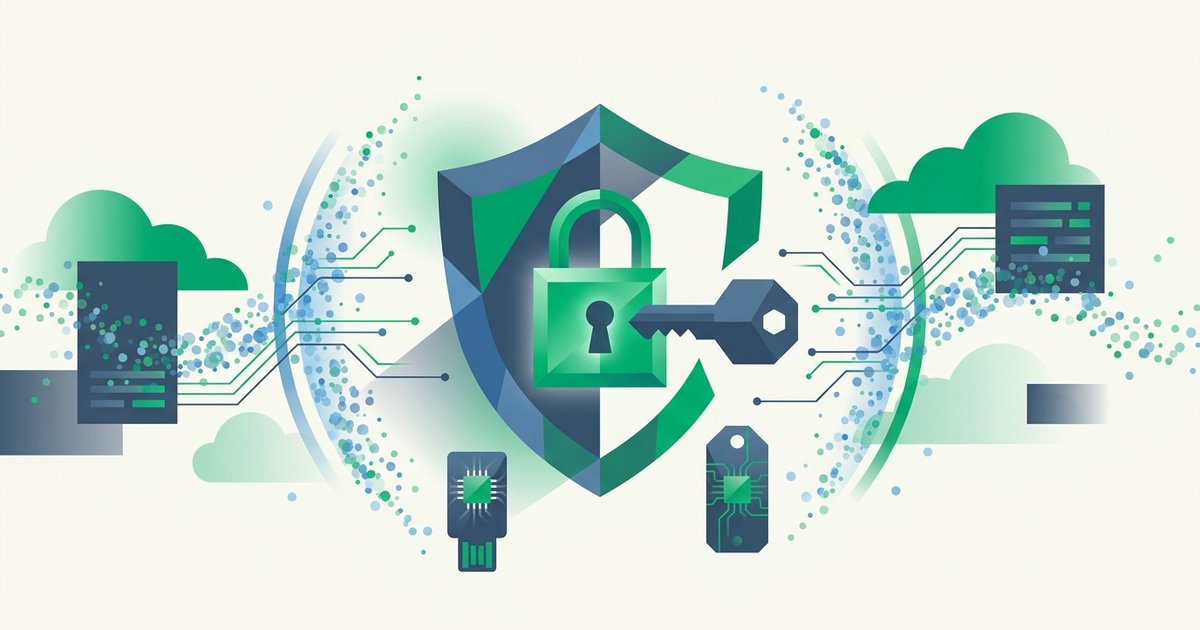
Every mainstream form of two-factor authentication shares one embarrassing weakness: a convincing fake login page defeats it. A phishing site that asks for your password can just as politely ask for your six-digit code, relay both to the real site within seconds, and walk into your account with 2FA glowing green the whole time. Hardware security keys were designed to close exactly that hole - And the data says they do it almost perfectly.
A security key is a small device, usually the size of a house key or a thumbnail, that plugs into USB or taps via NFC. Inside is a secure chip that performs cryptography on your behalf. Google's well-known internal study, published after it issued keys to all 85,000+ employees, reported zero successful account takeovers from phishing - And its 2019 research with NYU found security keys blocked 100% of automated bots, bulk phishing, and targeted attacks against the accounts studied. No other consumer authentication method has numbers like that.
How a security key actually works
Security keys implement the FIDO2 standards (WebAuthn plus CTAP), built on public-key cryptography. When you register a key with a website, the key generates a brand-new key pair for that site: the private key stays sealed inside the hardware forever, and the public key goes to the server. Nothing secret is shared - Unlike a TOTP setup, where server and phone both hold the same seed.
At login, the site sends a random challenge. Your key signs it with the private key, you touch the metal contact to prove a human is present, and the server verifies the signature with its stored public key. Three properties fall out of this design:
- Nothing to phish. There's no code to read or type. The "secret" never leaves the chip, so it can't be intercepted, screenshotted, or socially engineered out of you.
- Origin binding. The browser includes the website's domain in what gets signed. A key registered for
google.comwill refuse to answer a challenge fromg00gle-login.com- The math simply doesn't produce a valid signature for the wrong origin. The lookalike-domain tricks in our phishing protection guide all die here. - No shared database to breach. A server breach leaks only public keys, which are useless for logging in anywhere.
Rule of thumb: codes prove you have a secret; security keys prove you're on the real site. Only the second property survives contact with a good phishing page.
Security keys vs the other second factors
| Factor | Phishable in real time? | Survives phone loss? | Cost | Best for |
|---|---|---|---|---|
| SMS codes | Yes, plus SIM-swap risk | No (tied to number) | Free | Better than nothing |
| TOTP app | Yes - Codes can be relayed | Only with backups | Free | Good everyday default |
| Push approval | Yes, via prompt-bombing | No | Free | Convenience |
| Hardware key (FIDO2) | No | Yes - Independent device | ~$25–60 | High-value accounts |
| Passkey (synced) | No | Yes - Cloud-synced | Free | Passwordless future |
Two rows deserve context. TOTP apps remain excellent - Far better than SMS, as NIST SP 800-63B has said since 2017 - And you can see exactly how their 30-second codes are derived with our in-browser TOTP code generator. But a relayed TOTP code is still a valid TOTP code; phishing kits like Evilginx automate that relay at scale. Passkeys share the key's FIDO2 cryptography in software form, synced through your platform account - Our guide to passkeys and life after passwords covers when a synced credential beats a physical one and vice versa. A hardware key is essentially a passkey that lives in your pocket instead of a cloud.
Choosing a key in 2026
The market is mature and boring, in the best way. Practical decision points:
Connector and NFC. Match your devices: USB-C covers modern laptops and Android; NFC covers tapping phones (including iPhone); USB-A still matters for older machines. A USB-C + NFC key covers most people's whole fleet.
Certification level. Any FIDO2-certified key delivers origin-bound phishing resistance. Yubico's YubiKey 5 series adds extras (OTP modes, smart-card/PIV, OpenPGP); the cheaper Security Key series does pure FIDO2 and is all most people need. Google's Titan keys and Nitrokey's open-source models are solid alternatives. If your workplace involves government systems, look for FIPS-validated variants.
Biometric or PIN unlock. FIDO2 keys support user verification via a PIN you set, and some models (YubiKey Bio) add a fingerprint reader so possession alone isn't enough if the key is stolen.
Buy two. This is not optional advice. Register both keys on every account, keep the spare somewhere safe, and a lost keychain becomes an inconvenience instead of a crisis. It's the hardware equivalent of saving your 2FA backup codes - And you should still save those codes too, on services that offer them.
Setting up a key without locking yourself out
Rollout order mirrors any 2FA deployment - The full priority list is in our two-factor authentication setup guide - But the key-specific sequence looks like this:
- Start with your primary email account. Under Security → Two-step verification (or Passkeys and security keys), choose "add security key," insert or tap the key, touch it, and name it something identifiable like "black key - Desk."
- Immediately register your second key on the same account.
- Confirm what other second factors remain active. For maximum phishing resistance, remove SMS as a fallback once your keys are registered; Google's Advanced Protection Program formalizes exactly this key-only posture for high-risk users.
- Repeat for your password manager, financial accounts, cloud storage, and developer accounts (GitHub, registrars, cloud consoles - The accounts attackers monetize fastest).
- Store the backup key like a document that could cost you money if it walked away: a drawer at home is fine, since the key alone is useless without your passwords.
A stolen key, for the record, is a smaller problem than people assume. The thief would need to know which accounts it unlocks and your password for each - Which is a compelling argument for pairing your key with long random passwords from a proper password generator rather than a memorable pattern.
Where keys fit for developers and businesses
For organizations, keys are the top rung of an MFA ladder you can climb incrementally. CISA and NIST both push "phishing-resistant MFA" as the target state, and FIDO2 keys are the reference implementation. A sensible path: mandate MFA everywhere first - Even TOTP delivered through something like our 2FA API eliminates the pure password-reuse attacks that drive most breaches - Then issue hardware keys to admins, finance, and executives, the accounts where a single relayed code costs the most. The Verizon DBIR has put stolen credentials at the heart of breach statistics for over a decade; keys attack that root cause directly.
FAQ
What happens if I lose my security key?
Log in with your backup key (you registered two, right?), remove the lost key from each account, and order a replacement. If you had no backup, use each service's alternate second factor or recovery codes; only if those are missing too do you face full account-recovery review. This is why registering a second key on day one is the single most important setup step.
Do security keys work on phones?
Yes. NFC keys tap against iPhones and most Androids; USB-C keys plug straight into modern phones. iOS and Android both support FIDO2/WebAuthn natively in Safari and Chrome, so the flow is identical to desktop: password, tap key, done.
Can a website I use every day support keys but I've never noticed?
Very likely. Google, Microsoft, Apple, GitHub, Facebook, X, Dropbox, Coinbase, AWS, and most password managers all support FIDO2 keys, but they rarely advertise it. Check the security settings page for "security key," "passkey," or "WebAuthn." Directories like 2fa.directory track support across thousands of sites.
Are security keys immune to malware on my computer?
Not entirely - No authenticator is. A key stops credential phishing and remote account takeover, but malware on your machine can hijack an already-authenticated session after you log in. Keys close the biggest hole (phished credentials) while normal endpoint hygiene handles the rest.
Is a passkey on my phone as good as a hardware key?
Cryptographically they resist phishing equally. The differences are operational: a synced passkey is protected by your platform account and its recovery flows, while a hardware key is a discrete object with no cloud dependency - Harder to attack remotely, easier to lose physically. Security-conscious users often run both: passkeys for convenience, hardware keys as the unmovable anchor on their most valuable accounts.