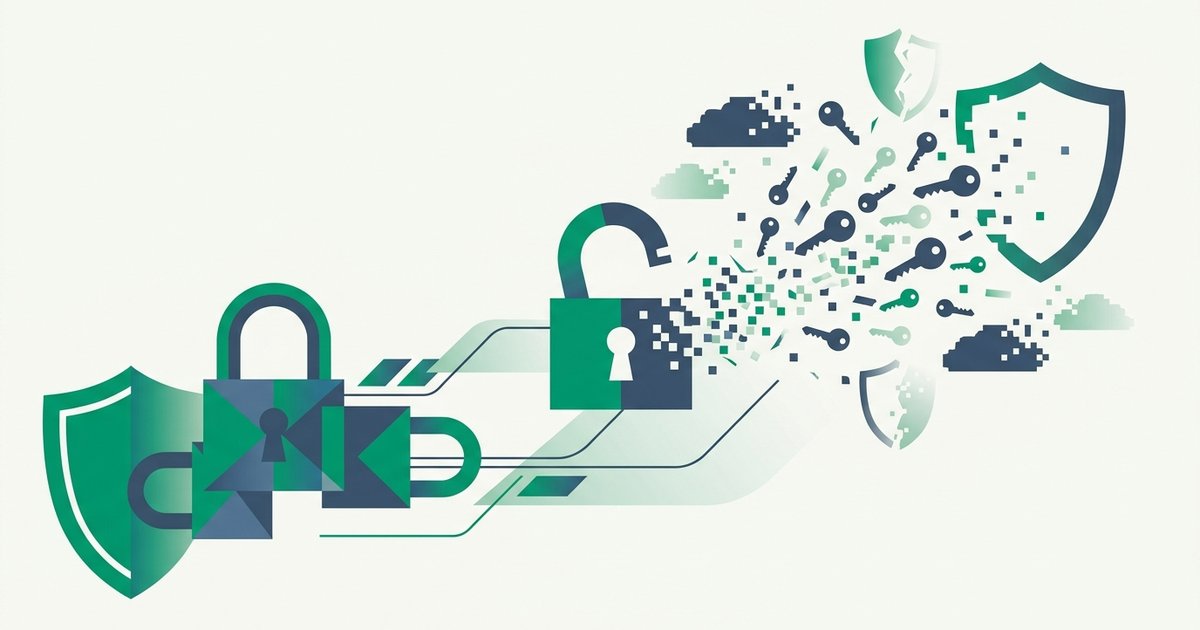
Multi-factor authentication was supposed to be the safety net: even with your password stolen, an attacker still can't get in. MFA fatigue attacks - Also called push bombing or prompt bombing - Turn that net into the trap. The attacker, already holding your password, hammers the "Approve sign-in?" button on their end and floods your phone with push notifications. At 3 a.m. On the tenth prompt. On the fortieth. Until you tap Approve to make it stop, assume it's a glitch, or fumble the wrong button half-asleep. It's social engineering distilled to a single tap, and it has breached some of the most security-conscious companies on Earth.
Anatomy of a push-bombing attack
The attack unfolds in three stages, each mundane on its own:
- Credentials first. The attacker obtains your username and password - From a breach dump, credential stuffing, phishing, or an infostealer. This is the unglamorous prerequisite: MFA fatigue is a second-factor bypass, meaningless without the first factor in hand.
- The flood. They attempt sign-in repeatedly. Each attempt fires a push notification to your authenticator app: "Approve this login?" Scripts make the cadence relentless - Dozens or hundreds of prompts, often timed to late night, when judgment is worst and the desire to silence a buzzing phone is strongest.
- The pretext. When volume alone fails, the attacker adds a voice. Posing as IT support via call, text, or WhatsApp: "We're seeing a system glitch pushing notifications - Just approve the next one and it'll clear." Now the victim isn't ignoring an anomaly; they're helpfully following instructions. This blend is textbook social engineering - Manufacturing an authority figure and a plausible story around the technical prod.
One approval ends the game. The attacker lands in a fully authenticated session, and their reliable first move is enrolling their own device as an additional MFA method - After which your approvals are no longer required at all.
The breaches that made it famous
The 2022 Uber breach is the canonical case study. An attacker associated with the Lapsus$ group bought a contractor's stolen credentials, spammed MFA push requests for over an hour, then contacted the contractor over WhatsApp posing as Uber IT and asked them to accept. One approval later, the attacker pivoted through internal systems and posted screenshots from the company's own Slack. Cisco's breach earlier that same year followed the identical recipe - Voice phishing plus push flooding against an employee's account. Microsoft's threat intelligence team documented Lapsus$ explicitly recommending the technique internally: keep calling and pushing until the target relents.
The common thread: every victim organization had MFA. The attack doesn't defeat the cryptography - It defeats the interface between a tired human and a button.
An unexpected MFA prompt is not noise - It is a fire alarm telling you your password is in someone else's hands right now. Deny it, and go change that password.
Why simple push approval is the weak link
Push-based MFA became popular for exactly the property attackers now exploit: it reduced authentication to a single low-friction tap. No code to read, no number to type - And therefore no moment where the user must know anything about the login they're blessing. The prompt often shows minimal context, arrives identically for legitimate and malicious attempts, and puts Approve within millimeters of Deny.
Compare the alternatives by what the attacker's flood accomplishes:
| MFA method | What a bombing attempt looks like | Resistant? |
|---|---|---|
| Simple push (Approve/Deny) | Endless prompts; one mis-tap = breach | No - This is the target |
| Push with number matching | Prompt demands a 2-digit code shown only on the attacker's screen | Yes - Victim can't complete it blindly |
| TOTP authenticator code | Nothing arrives at all; attacker must phish the code | Yes vs bombing (phishable separately) |
| SMS code | Nothing to approve; code must be extracted from you | Yes vs bombing (phishable, SIM-swappable) |
| Hardware key / passkey (FIDO2) | No remote prompt exists; key must be physically present, and origin checking blocks look-alike sites | Yes - Strongest option |
The pattern: any method requiring the victim to transfer information from their screen into the login (or touch physical hardware) collapses the attack. Only "tap to approve" can be completed by a victim who knows nothing and just wants the buzzing to stop.
Defenses that actually work
Number matching, now the default. The industry's direct answer: the login screen displays a two-digit number the approver must type into the authenticator. Microsoft enforced number matching for all Authenticator push notifications in 2023, and Duo, Okta and others ship equivalents ("verified push"). A victim being bombed cannot comply accidentally - They'd need the number from the attacker's screen. If your organization or accounts still use bare Approve buttons, this is the single upgrade to make.
Prefer factors with nothing to approve. Time-based one-time codes make bombing structurally impossible - No notification exists to spam. If you're unfamiliar with how the six-digit codes work, our TOTP code generator demonstrates the mechanism live in your browser, and developers can add the same verification server-side with our 2FA API. Better still are hardware security keys and passkeys: FIDO2's origin binding means the credential simply won't fire for an attacker's session, remote or look-alike. CISA formally labels these "phishing-resistant MFA" and recommends them above all push- and code-based methods.
Rate limits and context (for defenders). Identity platforms can throttle push attempts, auto-deny after repeated rejections, flag impossible-travel logins, and show rich context (location, app, device) in every prompt. Uber's post-incident hardening followed exactly this path.
The human rule. Simplest of all: never approve an MFA prompt for a login you didn't just initiate - And treat any "IT support" contact asking you to approve one as an attack in progress, full stop. Real IT departments do not need you to approve anything to fix a notification glitch.
The bigger lesson: MFA quality matters
MFA fatigue is a reminder that "we have MFA" is the beginning of a security posture, not the end. The full 2FA setup guide ranks the options, but the hierarchy is compact: phishing-resistant methods (hardware keys, passkeys) at the top, number-matched push and authenticator codes in the capable middle, bare push approval and SMS at the bottom. And because every one of these attacks begins with a stolen password, the first factor still earns its keep: a unique, generated password per account means the breach dump that would have started the bombing campaign contains nothing that fits your other doors. A strong random password plus a second factor you must actively complete is a combination that push bombing simply has no move against.
FAQ
What is an MFA fatigue attack?
It's a bypass technique where an attacker who already has your password triggers wave after wave of MFA push notifications, hoping you'll approve one out of annoyance, confusion, or a mistaken tap. It's also called push bombing or prompt bombing. Variants add a phone call or message from fake "IT support" instructing you to approve. One approval gives the attacker a full session.
If I get MFA prompts I didn't request, what should I do?
Deny every prompt, never approve "just to clear it," and treat the event as confirmation your password is compromised - Change it immediately from a device you trust. Then check the account's security settings for unfamiliar MFA devices or active sessions and remove them. If it's a work account, report it to your security team even if you denied everything.
Does MFA fatigue mean two-factor authentication is broken?
No - It means one specific implementation, the bare Approve/Deny push, has a human-factors flaw. Number-matched push closes it; TOTP codes never present anything to approve; hardware keys and passkeys are immune by design and phishing-resistant besides. The lesson is to choose MFA methods that require you to actively transfer information or touch hardware, not to abandon second factors.
What is number matching and why does it stop the attack?
Instead of an Approve button, the sign-in screen shows a short number that the person approving must type into their authenticator app. Since that number appears only on the session that initiated the login - The attacker's screen - A victim being bombarded cannot complete the approval even if they want the prompts to stop. Microsoft made this mandatory for Authenticator pushes in 2023, and most identity providers now offer it.
Can attackers do this without my password?
Generally no - The push prompts only fire after a correct password is entered, which is why an unexpected prompt is such a strong signal. That prerequisite is also your cheapest defense: unique, randomly generated passwords per account mean credential dumps and stuffing attacks never produce the valid login that starts the bombing in the first place.