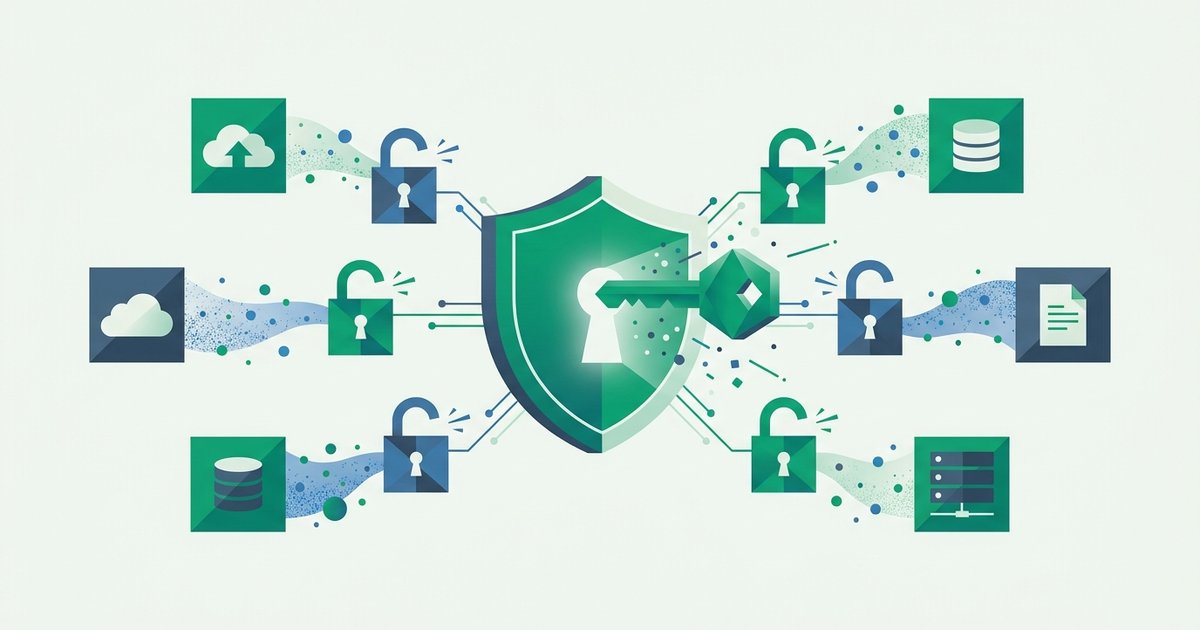
Count the login screens you passed through today. If you work at a company of any size, the honest answer might be one: you signed into Okta, Microsoft Entra, or Google Workspace this morning, and every other app - Email, Slack, Salesforce, the HR portal - Simply knew you. At home, the same trick hides behind every "Sign in with Google" and "Continue with Apple" button. That's single sign-on: one authentication event, honored everywhere.
SSO is arguably the most consequential authentication architecture of the past two decades, and it embodies a sharp trade: dramatically fewer passwords, in exchange for concentrating all your trust in one place. Understanding both halves of that trade tells you when to click those buttons - And when not to.
The cast of characters
Every SSO arrangement has three parties. You are the user. The app you're trying to reach - Slack, Figma, a shopping site - Is the service provider (SP), or in OAuth vocabulary, the relying party. And the system that actually checks your credentials is the identity provider (IdP): Okta, Microsoft Entra ID, Google, Apple, Ping, Duo, and friends.
The core idea is delegation. The service provider stops verifying who you are and instead accepts a signed statement from the identity provider: "This is alice@example.com, she authenticated two minutes ago, here's my cryptographic signature." The SP verifies the signature against keys it trusts and lets you in. No password ever touches the SP - Often the SP doesn't store any password for you at all.
A typical flow: you visit the app, it redirects your browser to the IdP, the IdP either finds your existing session (already signed in this morning - No prompt at all) or authenticates you properly, then redirects you back carrying a signed token. Total time, often under a second. That silent "already signed in" hop is the single in single sign-on.
SAML, OAuth, and OIDC in one breath
Three protocol names dominate every SSO conversation:
SAML 2.0 (2005) is the enterprise workhorse: XML "assertions," signed by the IdP, posted back to the SP through your browser. If your workplace login bounces through Okta or Entra to reach older business apps, you're likely riding SAML.
OAuth 2.0 is technically an authorization protocol - "let app X read my calendar" - Not a login protocol. But it provided the plumbing on which modern login was rebuilt.
OpenID Connect (OIDC) (2014) is that rebuild: a thin identity layer on OAuth 2.0 that issues a signed JSON ID token asserting who you are. Nearly every consumer "Sign in with Google/Apple/GitHub" button is OIDC, and newer enterprise apps prefer it over SAML for its simplicity and mobile-friendliness.
| SAML 2.0 | OpenID Connect | |
|---|---|---|
| Born | 2005 | 2014 |
| Token format | XML assertion | JSON Web Token (JWT) |
| Typical world | Workplace / legacy enterprise apps | Consumer login, APIs, modern SaaS |
| Mobile & SPA fit | Awkward | Native |
| Example | Okta → Salesforce | Sign in with Google → Spotify |
The security-relevant common thread: both deliver signed claims through your browser, so the SP's trust rests on signature verification, not on you retyping a secret. Nothing reusable-by-attackers passes through the app you're logging into.
Why security teams push SSO so hard
The password problem at scale is a reuse problem. The Verizon Data Breach Investigations Report has kept stolen credentials among the top breach vectors for over a decade, and the mechanics - One leaked password replayed against hundreds of sites - Are laid out in our guide to credential stuffing. SSO attacks that problem structurally:
- Fewer passwords exist at all. Each SP that delegates login is one fewer password database to breach and one fewer password for users to reuse.
- One place to enforce strength. MFA, phishing-resistant keys, session length, risky-login detection - Configured once at the IdP, applied to every connected app. NIST SP 800-63 explicitly favors federation partly for this reason.
- One switch to shut off. When an employee leaves, disabling the IdP account severs access to everything at once - The cornerstone of clean offboarding and a core requirement in any serious password policy for businesses.
- Central visibility. Every login attempt across the fleet lands in one audit log.
The keys-to-the-kingdom problem
Everything above has a mirror image. Concentrating authentication concentrates failure:
One account, total blast radius. Phish a user's IdP credentials and you've phished every connected app. This is why the IdP account, of all accounts, must carry phishing-resistant MFA - Passkeys or hardware keys, not just SMS codes - And a genuinely strong credential; the memorized password guarding it is worth generating properly (a random passphrase suits a secret you type daily) and pressure-testing with a password strength checker.
The IdP itself is a prize. The 2022 breach of Okta's support systems and the 2020 SolarWinds campaign's forged SAML tokens ("Golden SAML") showed attackers know exactly where the leverage lives. A compromised or coerced IdP can mint valid-looking assertions for anyone.
Outages cascade. When the IdP is down, so is everything behind it.
Consumer lock-in and privacy. "Sign in with Google" means Google observes which services you use and when - And losing that Google account orphans every dependent login. Worth weighing before wiring your mortgage servicer to your social login.
Rule of thumb: SSO doesn't remove your authentication risk - It relocates all of it to one door. That's a good trade only if that one door is your strongest, not your most convenient.
Using SSO wisely - As a person and as a builder
As a user: consolidate deliberately. Choosing one serious IdP (Google, Apple, Microsoft) and fortifying it - Unique credential, passkey or security key, current recovery options - Beats forty mediocre passwords, and passkeys themselves extend the same "log in via something stronger" logic; see our guide to passkeys and life after passwords. Keep truly critical accounts (primary email, banking, password manager) on their own independent credentials so no single provider failure orphans them. And treat unexpected IdP prompts with the suspicion they deserve - A perfect replica of your Okta or Google login page is the modern phishing lure of choice.
As a builder: offering "Sign in with Google" via OIDC outsources password storage to someone better resourced than you - Usually the right call. Verify tokens rigorously (signature, issuer, audience, expiry), and remember SSO handles identification, not necessarily step-up: sensitive actions can still demand a second factor of your own, which is straightforward to add with our 2FA API. If you sell to businesses, SAML/OIDC support is table stakes - Just resist the industry habit of paywalling SSO so aggressively that customers stay less secure.
FAQ
Is "Sign in with Google" safer than making a password for each site?
For most people, yes. Google's login stack - Breach detection, MFA support, passkeys - Is stronger than a typical small site's password handling, and the site never receives a reusable secret. The costs are privacy (Google sees your logins) and concentration (protect that Google account like the master key it becomes). The worst option remains what SSO replaces: the same weak password pasted into every signup form.
What's the difference between SSO and a password manager?
A password manager stores many separate credentials and fills them in - Every site still has its own password. SSO eliminates separate credentials: sites trust an identity provider's signed assertion instead. They're complementary: a manager covers the long tail of sites without SSO, while SSO covers your workplace suite and social-login accounts. Both reduce the reused-password disease.
If SSO logs me into everything, what happens when I log out?
Logging out of one app usually ends only that app's session; your IdP session - And other apps' sessions - Often survive. True "single logout" exists in both SAML and OIDC but is inconsistently implemented. On a shared or public computer, log out of the identity provider itself and close the browser, rather than trusting each app's logout button.
Does SSO count as multi-factor authentication?
No - SSO decides who verifies you, MFA decides how strongly. The two combine: enforce MFA at the identity provider and every SSO login inherits it. That inheritance is precisely why the IdP deserves your best factor available, and why an IdP account protected by a lone password undermines every app behind it.
Why do companies pay for Okta or Entra instead of using free Google login?
Consumer social login proves you control a Google account; enterprise IdPs prove you're a current employee - Tied to HR systems, enforcing device checks and conditional access, provisioning and deprovisioning accounts automatically, and generating the audit logs compliance frameworks demand. Same protocols underneath, very different management layer on top.