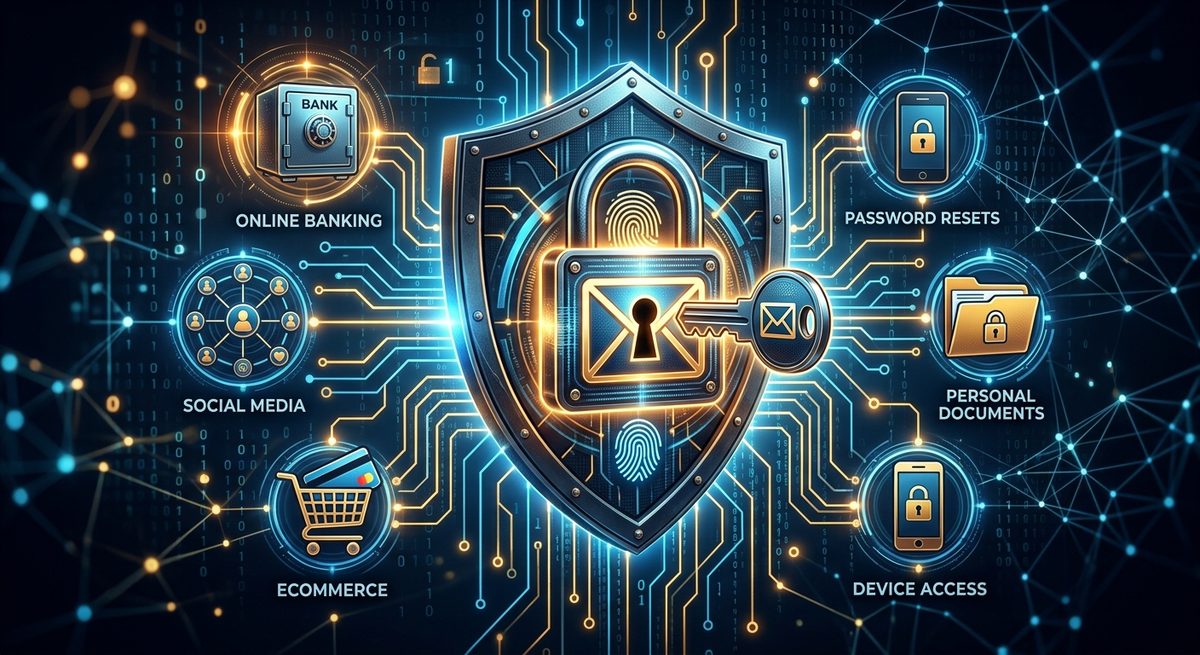
You have probably spent real effort on your bank password. Maybe you use a password manager now, or at least something longer than a pet's name. But there is one account sitting quietly at the center of your digital life that most people leave surprisingly exposed. Your email inbox is not just where newsletters collect. It is the single account that can hand a stranger the keys to every other account you own, all at once.
Core Takeaways
- Every password reset flows through your inbox, making it the master key to your entire digital identity
- A single compromised email account can cascade into a full account takeover across dozens of services in minutes
- A unique, strong password and two-factor authentication are non-negotiable protections for your primary email
- Routing low-trust signups through a disposable address breaks the breach cascade before it starts
- These habits connect into one unified posture, not an intimidating checklist you have to finish all at once
The Inbox That Controls Every Account You Own
Think about the last time you forgot a password. You clicked "forgot password," and a reset link arrived in your inbox within seconds. That small, ordinary action is exactly why your email address is so valuable to an attacker.
Nearly every internet service uses email as its fallback identity check. Locked out of your bank? Email. Can't reach your streaming account? Email. Need to get back into your tax software? Email. The pattern holds across hundreds of services, from social media to e-commerce to financial tools to government portals.
This design means your inbox is not just one account among many. It is the recovery mechanism for all of them. An attacker who controls your email does not need to crack each individual password. They trigger a reset on each account and take over one by one. That is not theoretical either. The NIST digital identity guidelines explicitly flag account recovery through email as a critical security vector, because it transfers the full trust of any account down to a single channel.
How an Email Breach Turns into a Full Account Takeover
The mechanics of a cascading account takeover follow a predictable path. Here is exactly how it unfolds once an attacker gains access to a single email account.
- Your email password surfaces in a data breach from an unrelated service that stored credentials insecurely.
- The attacker logs in to your inbox and immediately searches for terms like "welcome," "account," and "receipt."
- They compile a list of every service you use from your confirmation emails and purchase receipts.
- They trigger password resets on your highest-value accounts, including banking, PayPal, Amazon, and your primary Google or Apple account.
- They intercept or delete each reset email as it arrives, so your inbox shows nothing unusual.
- They swap the recovery email and phone number on those accounts, locking you out permanently.
The entire process can take under twenty minutes. The entry point was one reused or weak password. Everything else followed from that single failure.
Your Email Password Deserves Your Best Effort
Most people put the most effort into passwords for accounts they instinctively feel are high-stakes, like online banking. Email feels like a utility, something you just have. That instinct is backward.
Your email password should be long, randomly generated, and used nowhere else on the internet. A passphrase built from four or five unrelated words is a strong alternative if pure random strings feel difficult to manage. What matters most is uniqueness. Password reuse is the root cause of most cascading account takeovers, because breached credential lists are routinely tested against major email providers in automated attacks.
If the same password protects your email and even one other site, a breach at that site puts your inbox at direct risk. That is not a remote possibility. It is how millions of accounts get compromised every year.
Two-Factor Authentication: The Second Lock on Your Inbox
A strong password is necessary but not sufficient. Two-factor authentication (2FA) adds a second requirement at sign-in, something you physically have rather than something you know. Even if a password leaks, the attacker still cannot get in without that second factor.
The type of 2FA you use matters. These are the main options, ranked by real-world strength:
- Hardware security keys (FIDO2/WebAuthn): The strongest option available for everyday users. Physically resistant to remote attacks and immune to most phishing attempts by design.
- Authenticator app codes (TOTP): Strong and practical. Generates a rotating code on your device that is not interceptable by most phishing attacks.
- SMS text codes: Better than no 2FA, but vulnerable to SIM-swapping, where an attacker convinces your carrier to transfer your number to their device.
- Email-based verification codes: Circular by design. Sending a code to the account you are trying to access is not a genuine second factor at all.
For your primary email, an authenticator app is the practical minimum. A hardware security key raises the bar further if you want the most robust option on the market.
Why Low-Trust Signups Deserve a Separate Address
Every service you sign up for receives your email address and stores it in their database. If they get breached, that address enters circulation alongside other leaked data. If their security practices are poor, it may already be exposed by the time you think about it.
The answer is not to stop signing up for things. It is to give low-trust services an address that has no connection to your real inbox. Using a fake email address for throwaway registrations, one-time coupon codes, or services you need only once means a breach there cannot reach your real account. The cascade stops before it can start.
There are two main tools for this. A true disposable address expires after a short time, ideal for one-off signups where you just need to receive a confirmation link and never return. An alias address is a permanent address that forwards to your real inbox, better for services you plan to use regularly but do not fully trust. Here are the situations where each approach makes sense:
- Disposable address: One-time coupon codes, trial signups, gated content downloads, event registrations you will never revisit
- Email alias: Online stores you shop at occasionally, forums, apps with uncertain security practices, or anywhere you want a working address without exposing your primary inbox
How Each Layer of Defense Addresses a Specific Threat
Seeing these defenses mapped against specific attack types makes the logic clearer. The table below shows how the most common email-related attack methods are addressed by each habit.
Email Threats and the Defenses That Address Them
| Attack Type | What It Exploits | Defense That Blocks It |
|---|---|---|
| Credential stuffing | Reused passwords from breaches | Unique password for email only |
| Password reset abuse | Inbox access via weak password | Strong password plus 2FA |
| SIM-swapping | SMS-based two-factor codes | Authenticator app or hardware key |
| Third-party data breach | Real email stored at low-trust site | Disposable or alias email address |
| Phishing | Tricking users into entering credentials | Hardware key (phishing-resistant by design) |
Each row is a real attack path that security researchers document regularly. The defenses are not abstract advice. They map directly onto specific ways attackers actually move through accounts.
The Account That Guards Everything Else
Your email address holds a kind of super-authority over your digital life. Every service that trusts your inbox with a reset link has handed it a level of power that most people have not stopped to recognize. A compromised inbox does not just mean lost emails. It means lost access to banking, investment accounts, insurance portals, social profiles, and years of personal data, all handed over through a chain of reset links.
None of the steps covered here require deep technical knowledge. A strong, unique email password takes ten minutes to set up in a password manager. Adding an authenticator app for 2FA takes another five. Routing future low-trust signups through a disposable address is a habit that becomes automatic within a week.
The goal is not perfection. No security posture is perfect. The goal is to remove the obvious paths an attacker would take. An attacker who cannot get into your inbox cannot reset their way into everything else. That is a meaningful and achievable upgrade, and it starts with treating your email address with the same seriousness you give your most sensitive passwords.