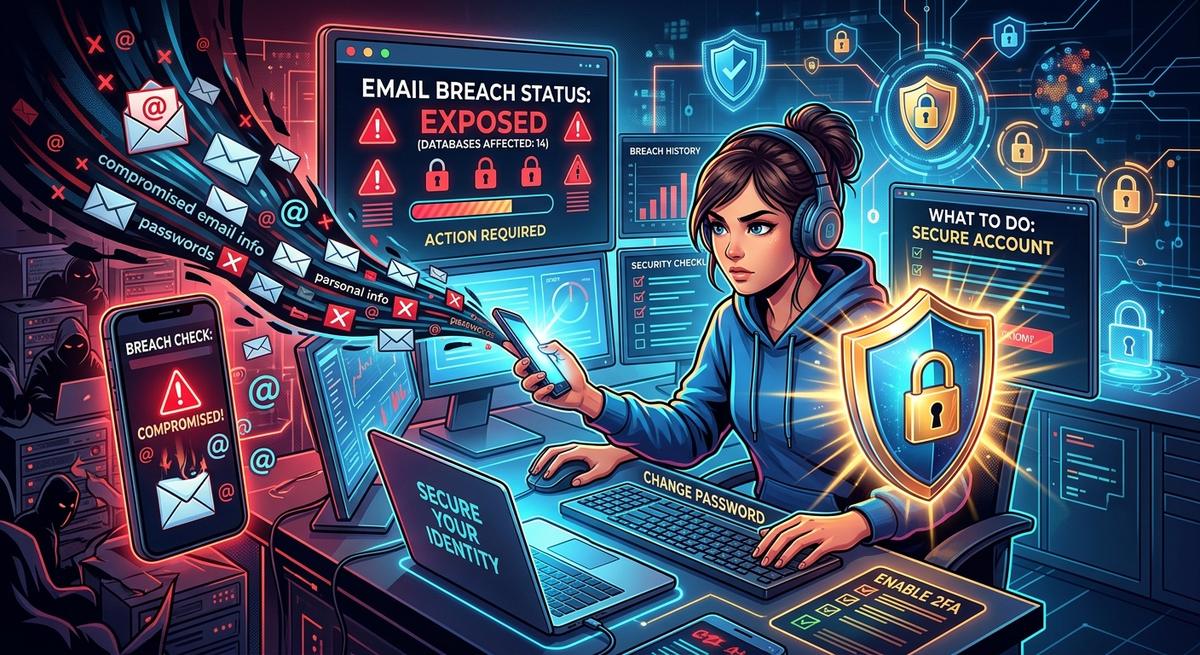
Your email address is probably sitting in at least one stolen database right now. That is not a scare tactic. Billions of credentials have leaked from breaches at major companies over the past decade, and most people only find out months or years after their data was taken. By then, attackers have already put those credentials to work against other accounts.
What You Need to Know First
- Stolen credentials are fed into automated attack tools within hours of a breach, long before any company sends a notification email.
- Running a breach check on every email address you use is the fastest way to get a concrete picture of your exposure.
- Rotating affected passwords, activating two-factor authentication, and setting up alerts are the three steps that cut your real-world risk the most.
What Actually Happens to Your Data the Moment a Breach Occurs
Most people picture a data breach as a hacker rifling through records, then carefully selling a list to someone on a dark web forum. The actual process is far more mechanical and far faster. When attackers extract a database of user credentials, those records get loaded into automated software within hours. That software immediately starts testing every username and password combination against other popular services, one after another.
This attack method is called credential stuffing. It works because a large share of people reuse the same password across multiple accounts. If your email and password were taken from a breached retail site, automated tools will run that exact pair against your bank, your email provider, your workplace login, and your social media accounts in rapid succession. These tools test thousands of combinations per minute. You will not notice anything unusual until an account is already drained or hijacked.
The gap between a breach occurring and an attacker attempting to access your accounts can be measured in hours, not weeks. That timeline is what makes proactive checking so valuable.
Why Most People Find Out about Breaches Far Too Late
Companies are often slow to detect intrusions in their own systems. The average time between a breach happening and its public disclosure is measured in months. Some incidents go undetected for over a year. By the time any notification reaches your inbox, your credentials may already have been bought, sold, and actively tested across dozens of platforms.
Breach notification emails also have a reliability problem. They frequently land in spam folders. They can look indistinguishable from phishing attempts. Many get dismissed without being read. This creates a situation where the very communication designed to protect you goes ignored at exactly the moment you need it most.
That gap is why checking on your own exposure matters far more than waiting for companies to tell you. Proactive monitoring fills the space that corporate notification policies leave open, and knowing your exposure status before a company announces it is the clearest advantage you have in limiting damage.
Running an Email Breach Check Is Your First Real Move
Before any effective response can happen, you need to know what was actually exposed. That means running an email breach lookup against known breach databases to see which of your addresses appear in leaked credential files. These tools cross-reference your address against collections of confirmed breach data, then show you which services were compromised, roughly when each breach occurred, and what categories of data were included in the leak.
Check every address you use regularly. Most people operate two or three active email accounts across their personal and professional lives, and a breach affecting one address may not affect the others. Run the check on all of them to get a complete picture.
Pay close attention to what type of data was exposed in each breach. An address-only exposure carries far less immediate risk than one that included your password, full name, and date of birth together. Any breach that confirmed a password was included should be treated as fully compromising that account, regardless of how long ago it happened. Old breaches fuel new attacks constantly.
Your Step-by-Step Response After Your Email Shows Up in Results
Finding your address in breach results is alarming. It is also the moment to act decisively. Federal consumer authorities have detailed that credential theft impacts include fraud, unauthorized account access, and identity theft that persists for months. Taking targeted action immediately is how you keep those outcomes from becoming your reality. Work through these steps in order, starting with the accounts listed as most recently or most severely affected:
- Change the password on every affected service right away. Use a long, randomly generated password that is completely unique to that account. A strong password generator creates the kind of random character string that resists dictionary attacks and brute force methods that automated tools rely on.
- Change that same password on every other site where you also used it. If you reused the exposed password anywhere else, those accounts are now at risk even if those services were never breached themselves. Password reuse is the direct path attackers use to spread access.
- Enable two-factor authentication on every account that supports it. Do this as you work through each compromised service. A stolen password alone cannot break in when a second factor blocks every login attempt.
- Review recent login history and connected apps. Most platforms expose session logs and third-party app access under their security settings. Look for logins from unfamiliar locations and revoke anything you do not recognize.
- Alert any contacts who may have received suspicious messages from your account. Attackers often use hijacked accounts to target your connections, sending phishing links that appear to come from a trusted source.
- Update recovery email addresses and security questions on all affected accounts. If your recovery information was also exposed in the breach, attackers can use it to reset passwords on other services.
That ordered sequence is not arbitrary. Each step closes a specific window that attackers use. Skipping steps or doing them out of order leaves gaps that nullify the ones you did complete.
How to Build Passwords That Hold Up Against Modern Attacks
The core vulnerability that credential stuffing attacks exploit is password reuse. The fix is not trying harder to remember complex passwords. The fix is stopping reuse entirely, which means a different strong password for every account you hold. That sounds impossible to manage until you have a system for it.
A strong password in 2026 is long, random, and completely unique to one service. The National Institute of Standards and Technology emphasizes length as the most important factor in password strength. A 16-to-20-character random string of letters, numbers, and symbols is exponentially harder to crack than a shorter password, even one that mixes cases and special characters. A password generator removes the temptation to fall back on familiar patterns that attackers already know to try.
Passphrases offer an alternative path. Four or five truly random unrelated words strung together create a password that is both long and easier to type than a character string, while remaining statistically resistant to brute force. The key word is random. A passphrase built around your interests, your pet's name, or your hometown is weaker than it looks, because attackers build wordlists around exactly those patterns.
A password manager is the practical way to maintain unique passwords across dozens of accounts without memorizing any of them. You remember one strong master password and the manager stores the rest. Most modern managers also flag reused or weak passwords in your existing vault, turning a post-breach audit into a process that takes minutes rather than hours.
Two-Factor Authentication: Why One Layer Is Never Enough
A strong, unique password is the first barrier. Two-factor authentication is the second, and it is what stops a stolen password from becoming a hijacked account. When 2FA is active, an attacker who successfully obtains your password still cannot log in without the second factor, which only you have in that moment.
Not all 2FA options carry equal weight. The type you choose affects how protected you actually are.
Two-Factor Options and How Well They Protect You
| Method | How It Works | Protection Level |
|---|---|---|
| SMS text code | A one-time code is sent to your registered phone number | Basic (vulnerable to SIM-swap attacks) |
| Authenticator app (TOTP) | App generates a time-based code that refreshes every 30 seconds | Strong |
| Hardware security key | Physical USB or NFC device you tap to complete login | Strongest (phishing-resistant) |
| Passkey | Device-bound cryptographic credential that replaces passwords entirely | Strongest (no shared secret to steal) |
If an authenticator app is available for a service, use it over SMS. The extra minute of setup is worth the meaningful improvement in protection. Hardware keys and passkeys are the strongest options available today and are worth prioritizing for your most critical accounts, including email and banking, where a compromise creates the most downstream damage.
Setting Up Ongoing Monitoring to Stay One Step Ahead
A one-time breach check tells you where you stand today. It says nothing about the breach that happens tomorrow. Continuous monitoring closes that gap by notifying you when your email appears in new breach data, giving you a chance to act before attackers get there first.
Several breach monitoring services offer email alerts at no cost. Run your addresses through one and opt into notifications as part of completing your initial response. Pair that with account alerts from your financial institutions for any unusual transactions or login attempts. These two signals together create a practical early warning layer that takes minutes to configure and very little to maintain afterward.
Many password managers include breach monitoring as part of their feature set, automatically flagging stored credentials that appear in newly discovered breach data. If you are already using a manager, check whether this monitoring is active. If it is not, turning it on is one of the highest-value configuration changes you can make.
Review your accounts periodically even without an incoming alert. Connected third-party apps and OAuth permissions accumulate over time and can expose your main account through a breach at a minor service you stopped using years ago. Revoking access to apps you no longer recognize or need reduces your attack surface quietly but consistently.
Your Credentials Are Worth Defending: Act Before the Damage Arrives
Data breaches are not abstract threats that happen to other people. They are database files being actively sold and tested against your most important accounts right now. The gap between a breach occurring and you hearing about it is exactly the window attackers need to cause real harm, and most of that window belongs to them by default.
Checking your email against breach records takes under a minute. What it gives you is a clear picture of your actual exposure and a prioritized list of accounts to address. That is the difference between reacting to damage after it is done and cutting off the attack before it lands.
Strong, unique passwords for every account, a second authentication factor on every service that supports it, and ongoing monitoring combine into a defense that is genuinely difficult to break through. None of these steps require technical expertise. They require acting before you need to, rather than after something goes wrong. The tools exist. The window is open. Using both is what makes the difference.